Meet the Chop Christmas Theme: Snowfall, String Lights and Festive Markup
Chop 3.1 adds a Christmas theme with snowfall, string lights and festive colors across the editor and Library. See how it looks and how to turn it on.
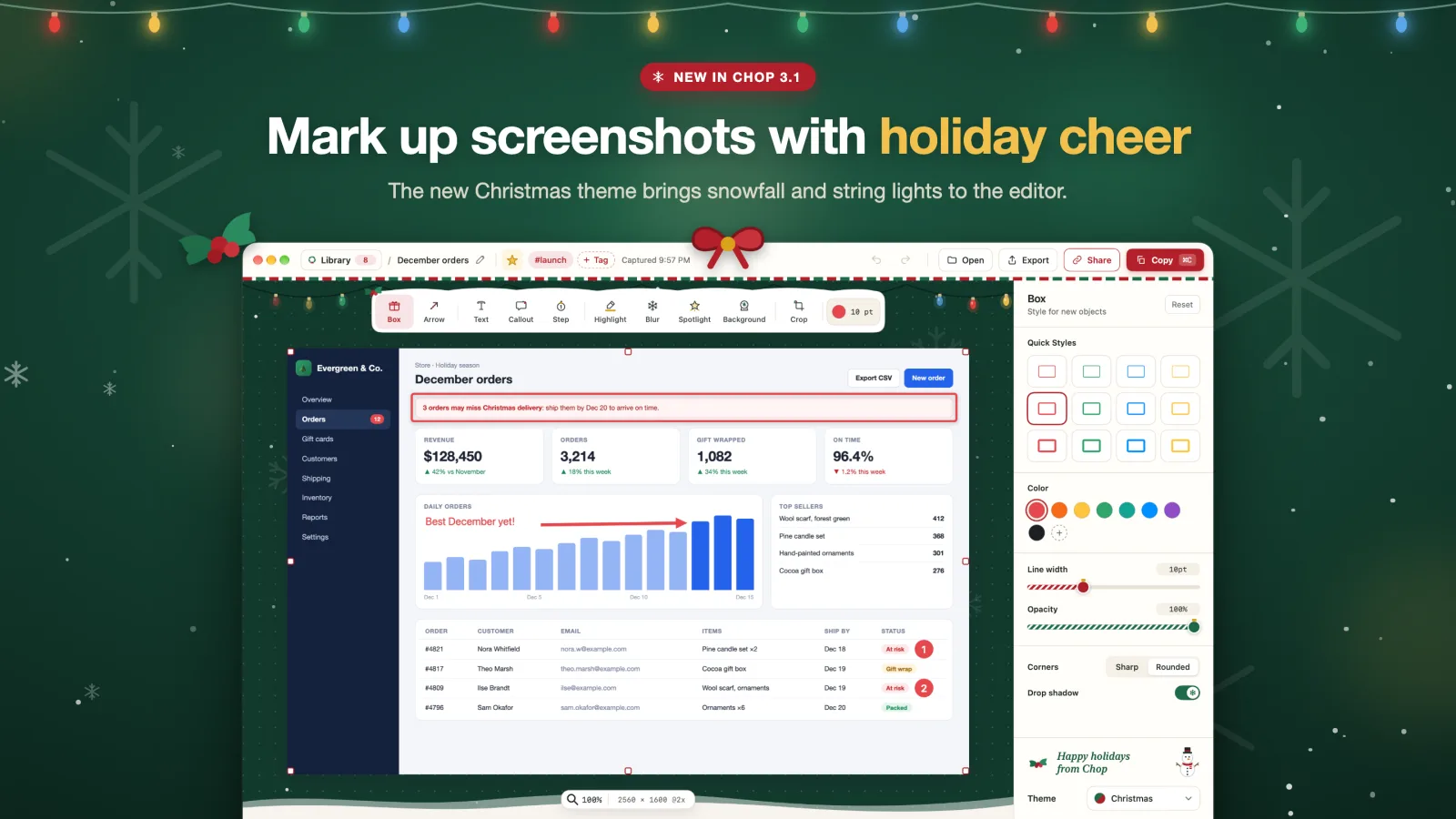
Screenshots are everyday work: a bug report before lunch, a design review in the afternoon, a quick “is this right?” in a chat thread. In December that work can look a little more cheerful. Chop 3.1 adds a Christmas theme that brings snowfall, twinkling string lights and festive colors to the whole app, while your screenshots stay as clean and sharp as ever.
A festive editor that still gets out of your way
Turn the theme on and the editor changes its look, not how it works:
- String lights run along the top of the canvas, under a red-and-white candy-cane stripe.
- Gentle snowfall drifts over a pine-green desk, with a soft snowdrift along the bottom edge.
- Festive controls: sliders with candy-cane tracks, snowflake toggles, and a ribbon bow on the capture you’re editing in the filmstrip.
- A small “Happy holidays from Chop” greeting (and a snowman) in the inspector.
Every tool is exactly where it was. Box, arrow, text, steps, highlight, blur, spotlight, background and crop all work the same, with the same shortcuts.
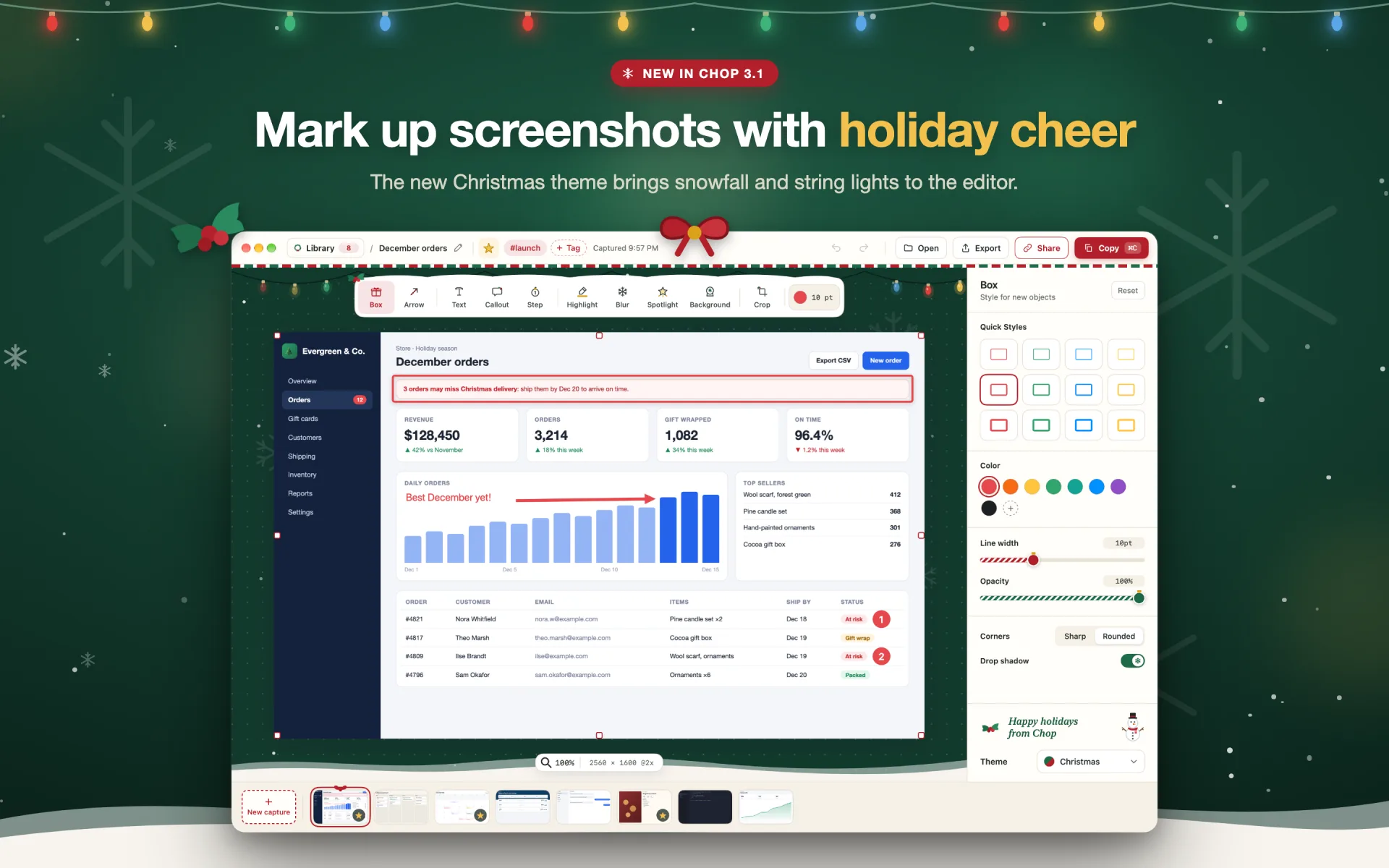
Your images stay clean. The theme only dresses up Chop itself. When you copy, export or share a capture, you get the same image you would get in the default theme: no snow, lights or green background.
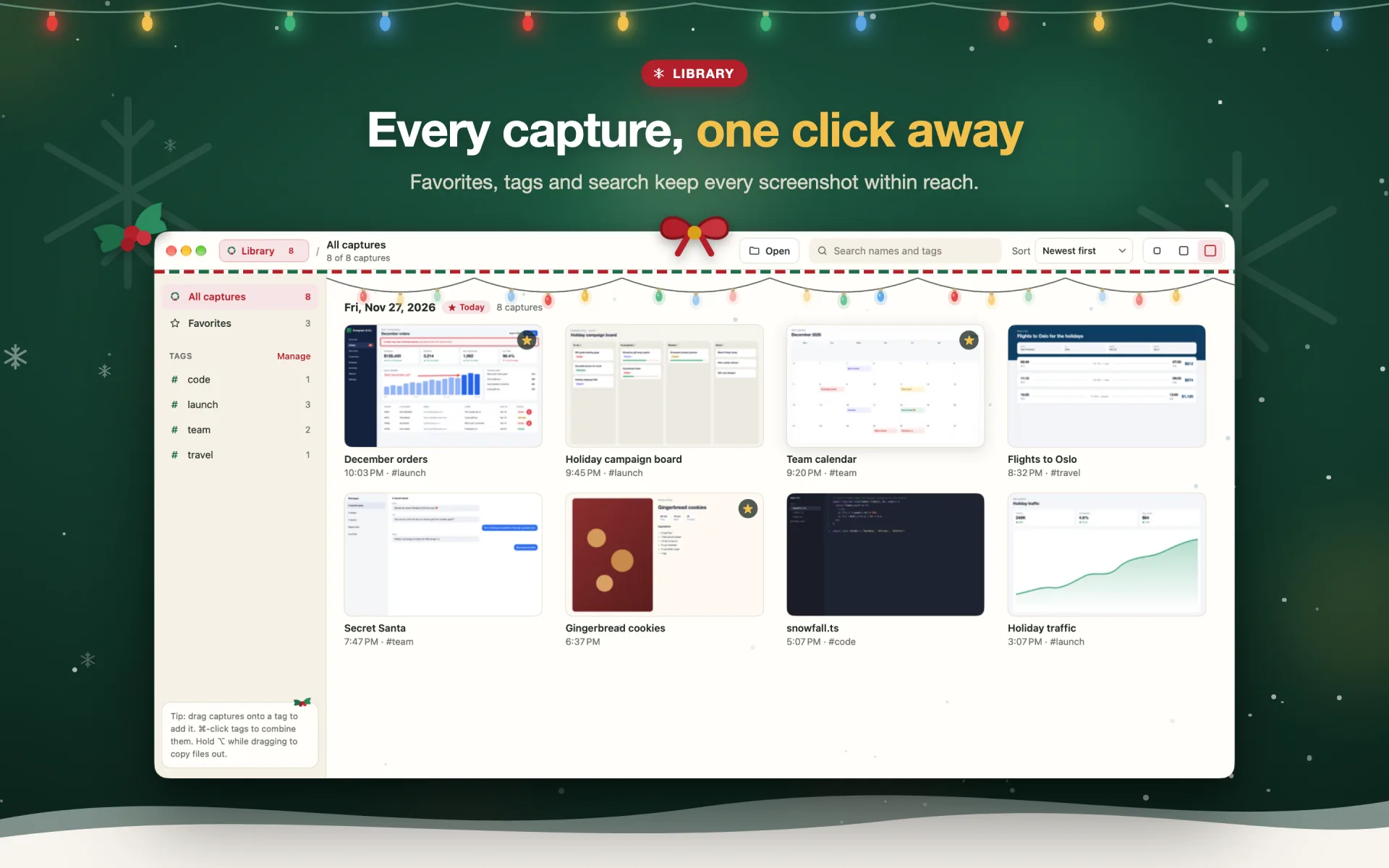
Your Library, dressed for the season
The theme carries over to the Library, where every capture you have taken is saved on your computer. String lights hang above the grid, the sidebar picks up the festive accent color, and favorites, tags and search work as usual. Use it to find last week’s bug report or gather every screenshot for a launch.
Light or dark, both feel cozy
The Christmas theme has both a light and a dark version. Choose Auto to follow your system appearance, or pin it to Light or Dark. The dark version swaps the cream panels for deep charcoal and keeps the lights glowing, which suits late-night work.
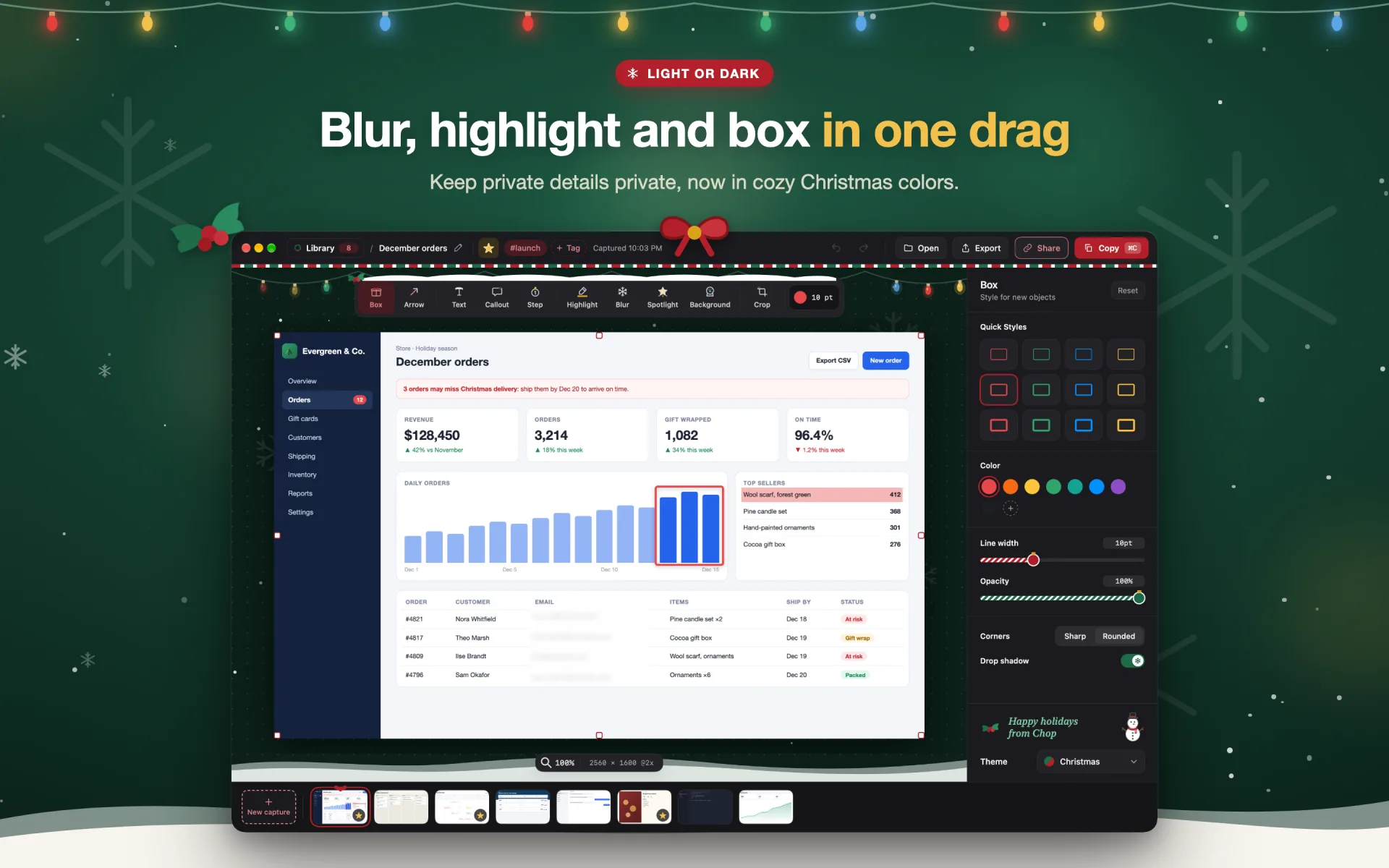
Privacy tools look just as good here. Blur customer emails, highlight the row that matters, and box the numbers you want people to see before you paste the image anywhere.
How to turn on the Christmas theme
- Open Settings (⌘, on Mac).
- Go to Appearance and choose Christmas under Theme.
- Choose Auto, Light, or Dark under Appearance.
- Pick an accent color: Cranberry, Pine, Berry, Winter Navy, or a custom color of your own.
You can also switch themes without leaving your work. The Theme menu at the bottom of the editor’s inspector changes the look straight away. Want to see how Christmas compares with Chop’s other holiday, seasonal, and nature looks? Browse all 7 themes in Light and Dark mode on the Themes page.
Leave Try new themes automatically on, and Chop will switch to new themes when Chop updates. Turn it off if you’d rather keep your look until you change it yourself.
Built to stay light
Decorations shouldn’t slow down a tool you open dozens of times a day. Snowfall pauses while the Chop window is hidden, and it stays still when reduce motion is turned on in your system’s accessibility settings.
Get the Christmas theme
The Christmas theme is part of Chop Pro, together with screen recording, scrolling capture, the full Library and Google Drive sharing. Every new install starts with a 30-day Pro trial, so you can try the theme today without signing up.
For the holidays, Chop Pro is 50% off with the code XMAS50 when you buy from chop.asia, until January 15, 2027. That’s one payment, yours forever, with every future update included.
Download Chop free for Mac, Windows or Linux, preview all Chop themes, or see Chop Pro pricing. Everything else in this release is in What’s new. New to Chop? Start with the complete guide.
Happy holidays, and happy capturing!
Frequently asked questions
Does the Christmas theme change the screenshots I copy or export?
No. The theme only dresses up Chop itself. The images you copy, export or share look exactly the same as they do in the default theme, with no snow, lights or green background added.
Is the Christmas theme free?
The Christmas theme is part of Chop Pro. Every new install includes a 30-day Pro trial, so you can try it right away, and Chop Pro is a one-time purchase with no subscription.
Can I turn off the falling snow?
Snowfall automatically pauses when the Chop window is hidden and stays still whenever Reduce Motion is enabled in your system's accessibility settings. You can also switch to another theme anytime in Settings → Appearance.
Which platforms get the Christmas theme?
Chop 3.1 brings the Christmas theme to Mac, Windows and Linux.